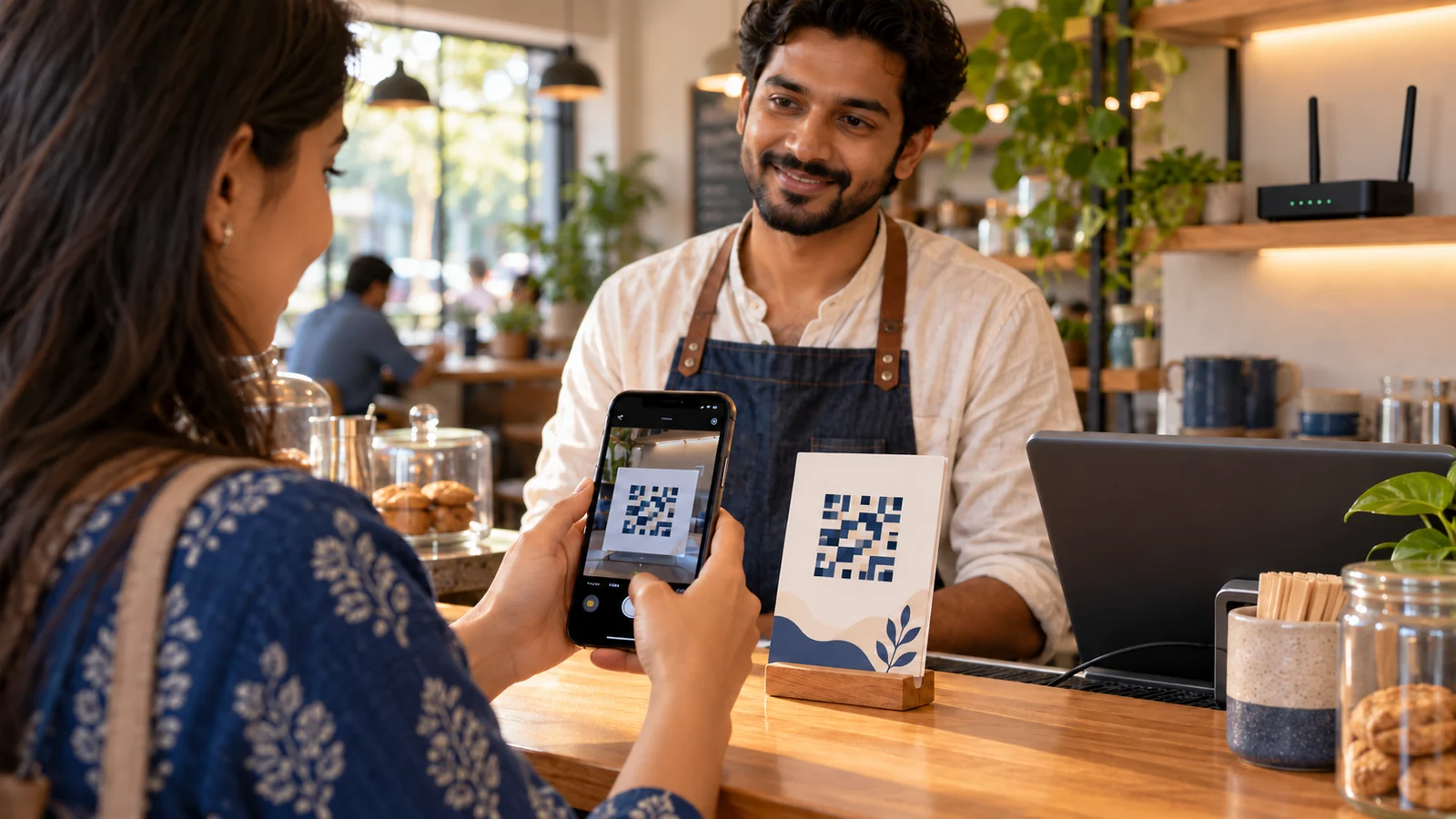
AI-generated editorial illustration of a guest Wi-Fi setup; the visible pixel pattern is intentionally nonfunctional and contains no real network credentials.
Typing a long Wi-Fi password at a busy cafe counter is slow and error-prone. A printed Wi-Fi QR card lets a guest scan a code that contains the network name and connection settings.
Convenience does not make the code secret. Anyone who photographs or receives the QR image may be able to decode the embedded credentials. The safer small-business workflow is to create a separate guest network, secure it in the router and generate a QR only for that guest network.
Set up the guest network first
Do not generate a public card for the private network used by billing systems, staff laptops, cameras, storage or administrative devices.
The US Federal Trade Commission recommends setting up a guest network with a different name and password. Its guidance explains two benefits: fewer people receive the primary network password, and a guest device with malware is less likely to reach devices on the primary network.
In your router or managed Wi-Fi dashboard:
Enable the guest network.
Give it a name that does not reveal personal or sensitive business information.
Set a strong, unique guest password.
Enable the strongest compatible protection your router and guest devices support.
Turn on guest isolation or block access to the local network when that option exists.
Apply bandwidth or time limits if appropriate.
Update router firmware using the manufacturer’s official instructions.
Test that a guest cannot reach printers, storage, cameras or the router administration page.
Use WPA for a password-protected guest network when that option matches the network. The tool does not expose separate WPA2 and WPA3 switches; compatibility with WPA3-only configurations depends on the router and scanning device. Test before printing.
WEP is obsolete and should not be selected merely because it appears in the compatibility list. Open networks provide no Wi-Fi password protection. The FTC recommends encryption using WPA3 Personal or WPA2 Personal where supported.
The generator does not configure your router. Selecting WPA in the page cannot turn an insecure network into a secure one.
Enter the guest network name exactly, including capitalisation and spaces.
Enter the guest password.
Select the matching security type.
Tick Hidden network only if SSID broadcast is actually disabled.
Leave Show password as text on QR card off unless there is a clear operational reason to display it.
Scan the preview with several test phones.
Use Save QR to download the code as a PNG, or Print to create the guest card.
The released generator escapes common delimiters in the Wi-Fi payload, including backslashes, semicolons, commas, colons and quotation marks. Even so, test passwords containing punctuation on the actual devices your customers use.
This means the QR normally contains the SSID and password in a machine-readable form. Hiding the password as printed text does not remove it from the QR.
The current implementation constructs the QR image in the browser and does not call an external QR-generation API. But the downloaded image remains sensitive. Do not upload it to a public website, social post, open cloud folder or searchable document.
Make a scannable physical card
A technically correct code can still fail because of poor printing or placement.
Keep a clean border around the QR.
Use high contrast.
Do not stretch or crop the downloaded PNG.
Print large enough for the viewing distance.
Avoid glossy material that creates glare.
Place the card in steady light.
Keep it flat rather than wrapping it around a cup or pillar.
Do not cover any part with a logo or sticker.
Test the final printed card, not only the screen preview.
Apple’s current iPhone guide says users can open Camera in Photo mode, place the QR inside the frame and tap the result. Google’s Camera guidance says default-camera QR support and behaviour can vary by device. Keep a plain-text support option for guests whose phones do not scan successfully.
Test before displaying it
Use at least one recent iPhone and multiple Android devices if available.
For every test:
Turn off mobile data temporarily so a false success is obvious.
Forget any previously saved version of the network.
Scan the printed card.
Confirm the displayed network name.
Join the network.
Open a website.
Verify that private business devices and local services are unreachable.
Check that reconnecting works after leaving and returning.
If a phone reads the code but cannot connect, compare the SSID, password, hidden setting and security selection with the router. A correct QR cannot fix weak coverage, captive-portal problems, device limits or an internet outage.
Place the card with intention
A card on every outside window makes the credentials available beyond paying customers. Prefer a controlled location such as the counter, welcome desk, meeting room or guest information folder.
For a cafe, train staff to point to the card without reading the password aloud. For an office, place it only in visitor areas. For a rental property, include it inside the accommodation rather than in a public listing photo.
The QR can be copied. Physical location reduces casual exposure but does not create access control.
Rotate credentials and replace old cards
Change the guest password when:
a staff member with access leaves;
the card is photographed or shared beyond the intended audience;
unusual usage appears;
the network configuration changes;
a scheduled rotation is due.
After changing the router password, the old QR remains an image of the previous credentials. Generate and print a new card, remove every old copy and delete unnecessary digital copies.
Record the date of the latest change on an internal checklist, not on the public card.
Protect the router administration account
The guest password and the router administrator password must be different.
Use a strong unique administrator password, enable available multifactor protection, keep remote administration off unless it is specifically required and secure, and log out after configuration. The FTC also recommends checking that the router firewall is enabled and keeping router software current.
A polished QR card is not a replacement for network maintenance.
Respect guest privacy
Tell visitors that the network is for guest internet access. If the business logs devices, filters traffic, imposes time limits or uses a captive portal, provide appropriate notice and follow applicable law and organisational policy.
Do not use a familiar public SSID to trick devices into connecting. Avoid names that impersonate another business or official service.
Guests should still treat a shared network as untrusted. HTTPS, updated software and careful handling of sensitive activity remain important.
Limitations of the KuchhBhi tool
The released tool:
generates the Wi-Fi QR in the browser;
supports WPA, WEP and open payload labels;
supports hidden-network marking;
hides the printed password by default;
can reveal or copy the entered password;
saves the QR itself as PNG;
prints a guest card;
does not configure or test the router;
does not verify whether the credentials are correct;
does not create a captive portal;
does not manage users or rotate passwords;
does not separately label WPA2 and WPA3.
The printed card and downloaded QR should be handled like the guest password.
Frequently asked questions
Can someone recover the password from the QR?
Yes. A QR decoder may reveal the embedded network name and password. Use a separate guest network and limit where the image is shared.
Does hiding the password text make the QR secret?
No. It only removes the human-readable password from the printed card. The code still needs the credentials to help a device connect.
Should I select WEP for an old router?
WEP is obsolete. Replace or reconfigure outdated equipment using current manufacturer guidance instead of relying on weak protection.
Can the tool make a WPA3 QR?
The interface uses the general WPA label and has no separate WPA3 selection. Test against your router and devices; do not assume every WPA3-only configuration will work.
Why does one phone fail while another connects?
QR scanning and Wi-Fi compatibility vary by device, camera app, operating system and router settings. Verify the payload, lighting, print quality and network configuration.
What happens after I change the guest password?
The old QR no longer contains current credentials. Generate, test and display a replacement, then remove old cards.
Does the tool upload my Wi-Fi password?
The inspected production implementation constructs the QR locally in the browser and does not use a QR-generation API. Still, protect the resulting image because it contains the credentials.
Sources and review date
Reviewed 4 October 2026 against the released tool and current primary guidance: